Dragnifier

Dragnifier
License:
Free
Language:
English
Developer:
OS:
Win98/98SE/Me/2000/XP/2003/Vista
Added:
See detailed info

Softonic review

Elena Santos

“A lightweight yet powerful magnifying glass”

by Elena Santos about Dragnifier

You don't need to be visually impaired to require larger fonts on the computer screen; sometimes short-sighted users like me would also like to have larger views of a given element on the Windows desktop.

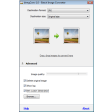
Luckily you can now use Dragnifier to get up-close and personal with Windows. This easy-to-use magnifying glass lets you increase the size of any selected area on the screen, just by clicking on the program's icon in the taskbar and dragging it over the area you want to zoom in.

Dragnifier doesn't require installation and is really simple to use. It offers support for customizable keyboard shortcuts (no support for mouse combinations though), includes an optional grid for on-screen pixel measurement and features several zoom power levels. You can also choose among different lens designs.

The weird thing about Dragnifier is that, though it lets you change the zoom value while the magnifying glass is active, the only way to do it is by using the + and - keys on the numeric pad - certainly not a very comfortable key combination.

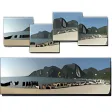
With Dragnifier you can easily zoom into any area on the computer screen.

Pros
  • Several magnifying glass designs
  • Optional grid for on-screen measurements
  • No installation required
  • Support for keyboard shortcuts
Cons
  • Zoom values can only be changed with + and -
  • You can't use mouse buttons in shortcut combinations
Free Download Dragnifier 2.5

Dragnifier is virus free

We have analyzed the latest version of Dragnifier with 30 antivirus engines and it is virus free. See analysis results.

TESTED VIRUS FREE - Softonic GUARANTEED

Review and rate Dragnifier

Your avatar

Your opinion is important.
Help other users - be the first to review this program.

Review
  1. Maximum: 75 characters

  2. See example

Pros and Cons
Rate
  1. What rating would you give Dragnifier?

    You need to fill in all fields

    • Usability:

      Not rated
    • Stability:

      Not rated
    • Installation:

      Not rated
    • Functionality:

      Not rated
    • Appearance:

      Not rated
    • Overall rating:

      Not rated
  2. Don't worry, we won't make your email address public.

You're not allowed to share serial numbers, cracks, etc. or link to pages that contain them. If you do, your user account will be deleted, your IP address logged and legal action will be taken.

Get started - just ask a question!

Write a title for your question.

Alternativesto Dragnifier

  • In English:
    MouseZoom
    MouseZoom

    Get the absolute position and color value of any pixel on your screen

    Softonic rating:
    • 6/10
    User rating:
    • 6/10
  • Recently updated:
    DesktopZoom
    DesktopZoom

    Zoom tool with many options

    Softonic rating:
    • 6/10
    User rating:
    • 10/10
Compare with Dragnifier
Download rank: Magnifiers

4 of 11

Softonic rating:
  • Excellent
  • 9/10
User rating: (1 rating)
  • Essential
  • 10/10
Your rating:
Your rating
  • 0

Review and rate this program

Top Downloads: Magnifiers

  • United States
  • Global

  1. Zoom in your deskop and draw right on it

Reviews of Dragnifier in other languages